# ウォレット設置

ゲームを始めるには、まずウォレットにAnistic networkを追加して、ポータルでアカウントを登録してください。

詳しい説明は下記の通りです。

### **Anistic NetworkをMetamaskウォレットに追加** <a href="#f56d" id="f56d"></a>

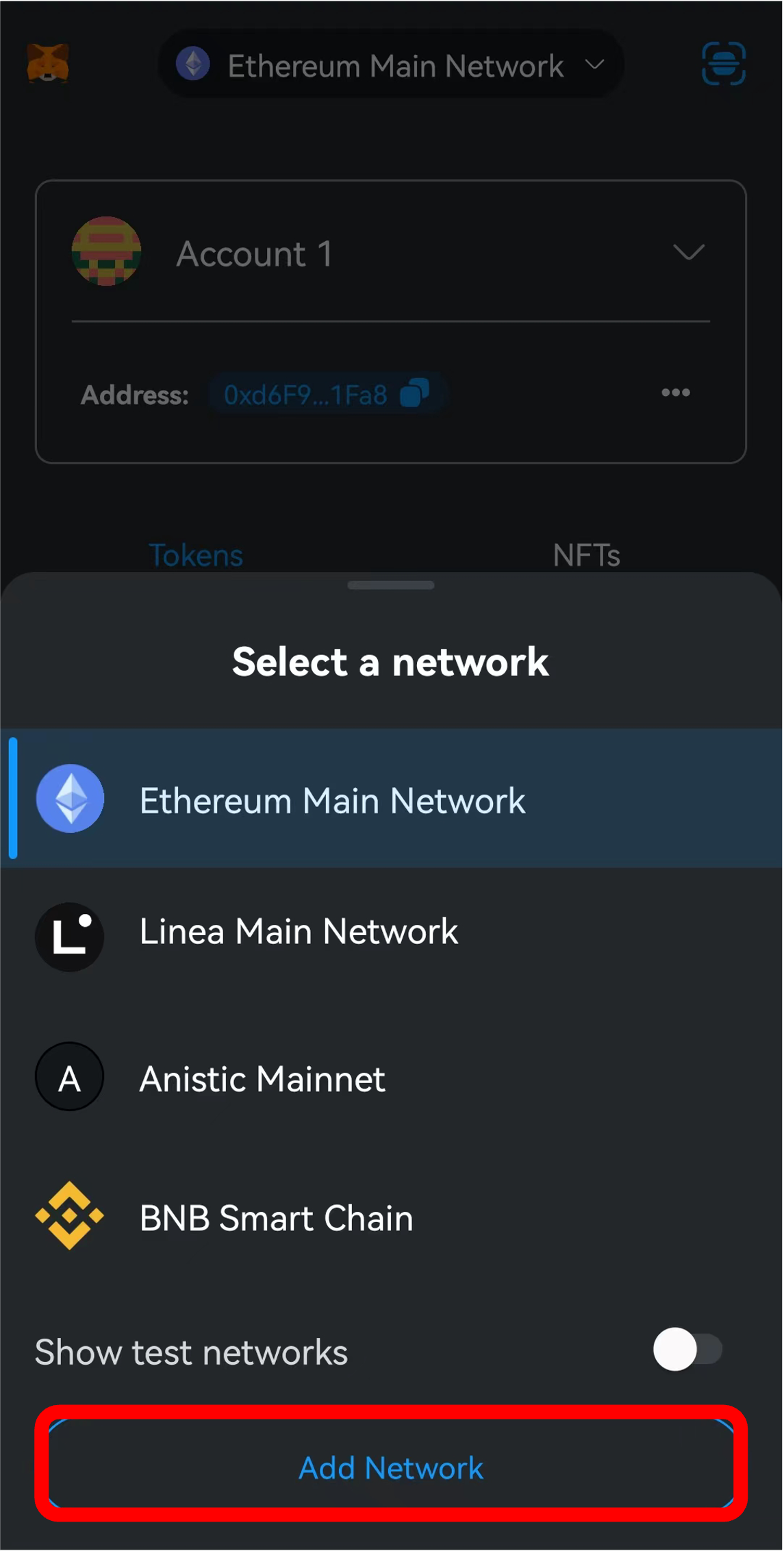
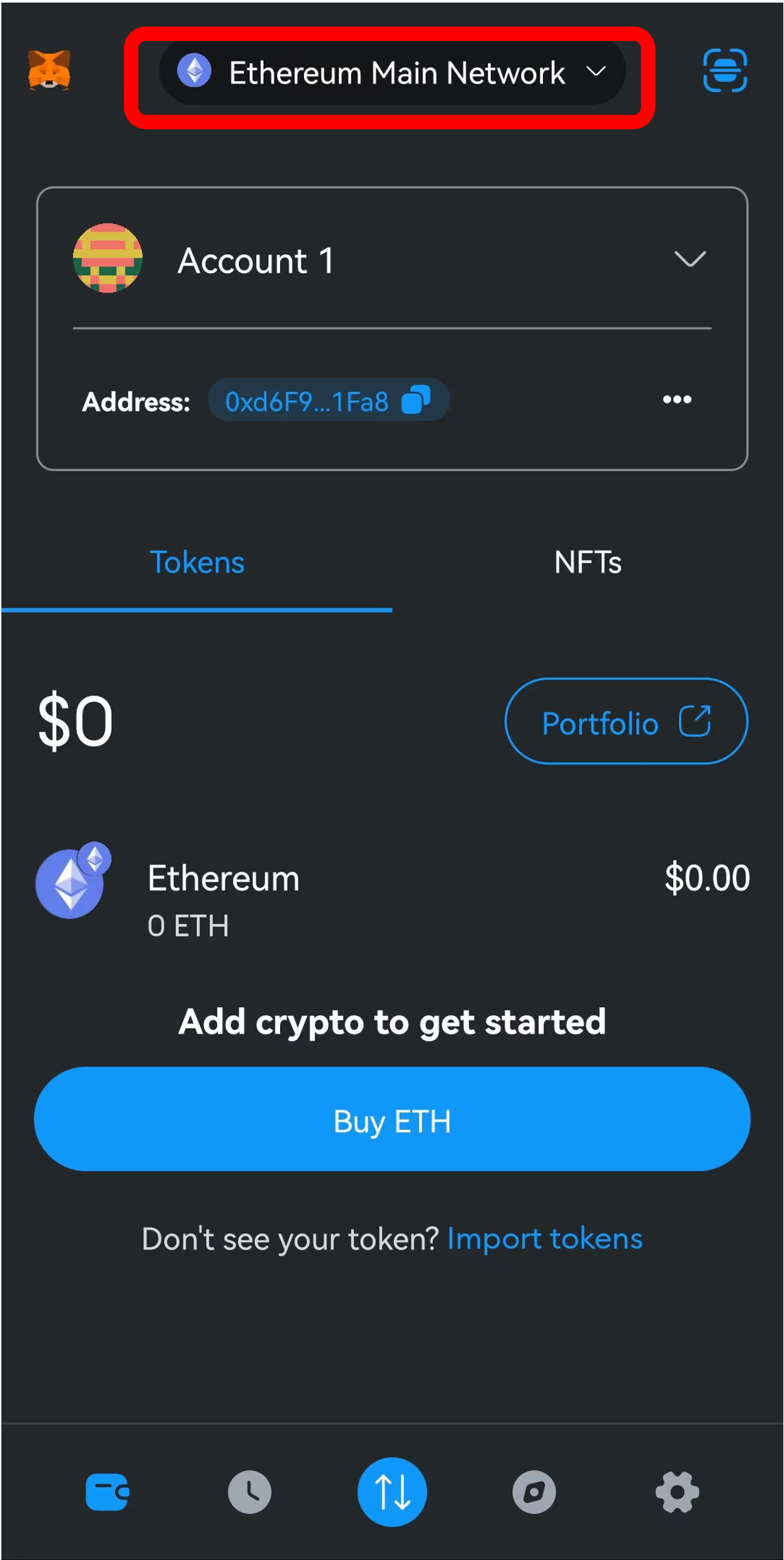
**ステップ1 上部のネットワークボタンをクリック**

<figure><img src="https://miro.medium.com/v2/resize:fit:1400/1*mC4cvPEEyGXpAt6Dyv8AKg.png" alt="" width="375"><figcaption></figcaption></figure>

**ステップ2 「ネットワークを追加」を選択**

<figure><img src="https://miro.medium.com/v2/resize:fit:1400/1*Gs2dYBk_5FfSXBUnJ3z60Q.png" alt="" width="375"><figcaption></figcaption></figure>

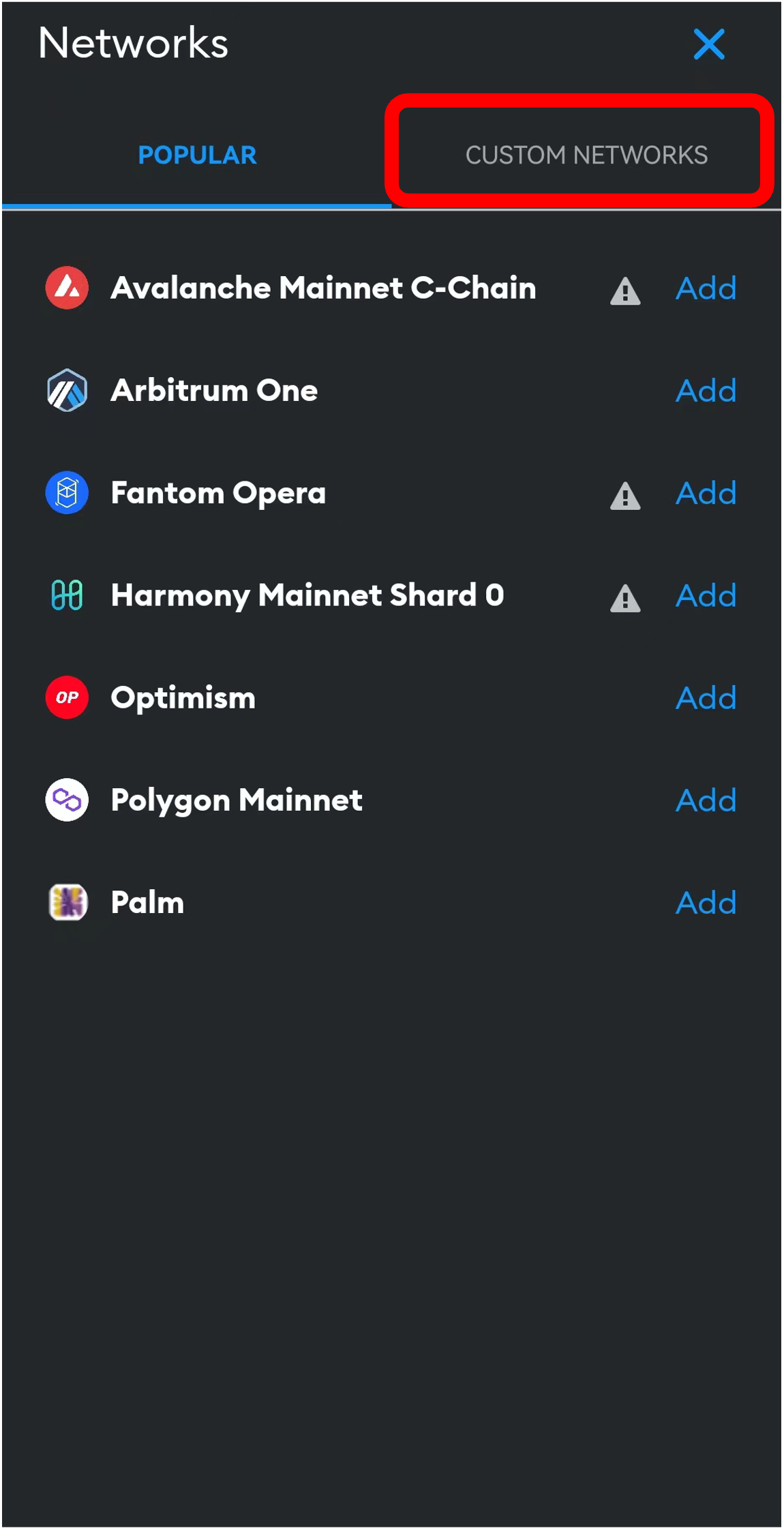
**ステップ3 「カスタムネットワーク」を選択**

<figure><img src="https://miro.medium.com/v2/resize:fit:1400/1*ftme5pBwtS7-F9rAd3D1ww.png" alt="" width="375"><figcaption></figcaption></figure>

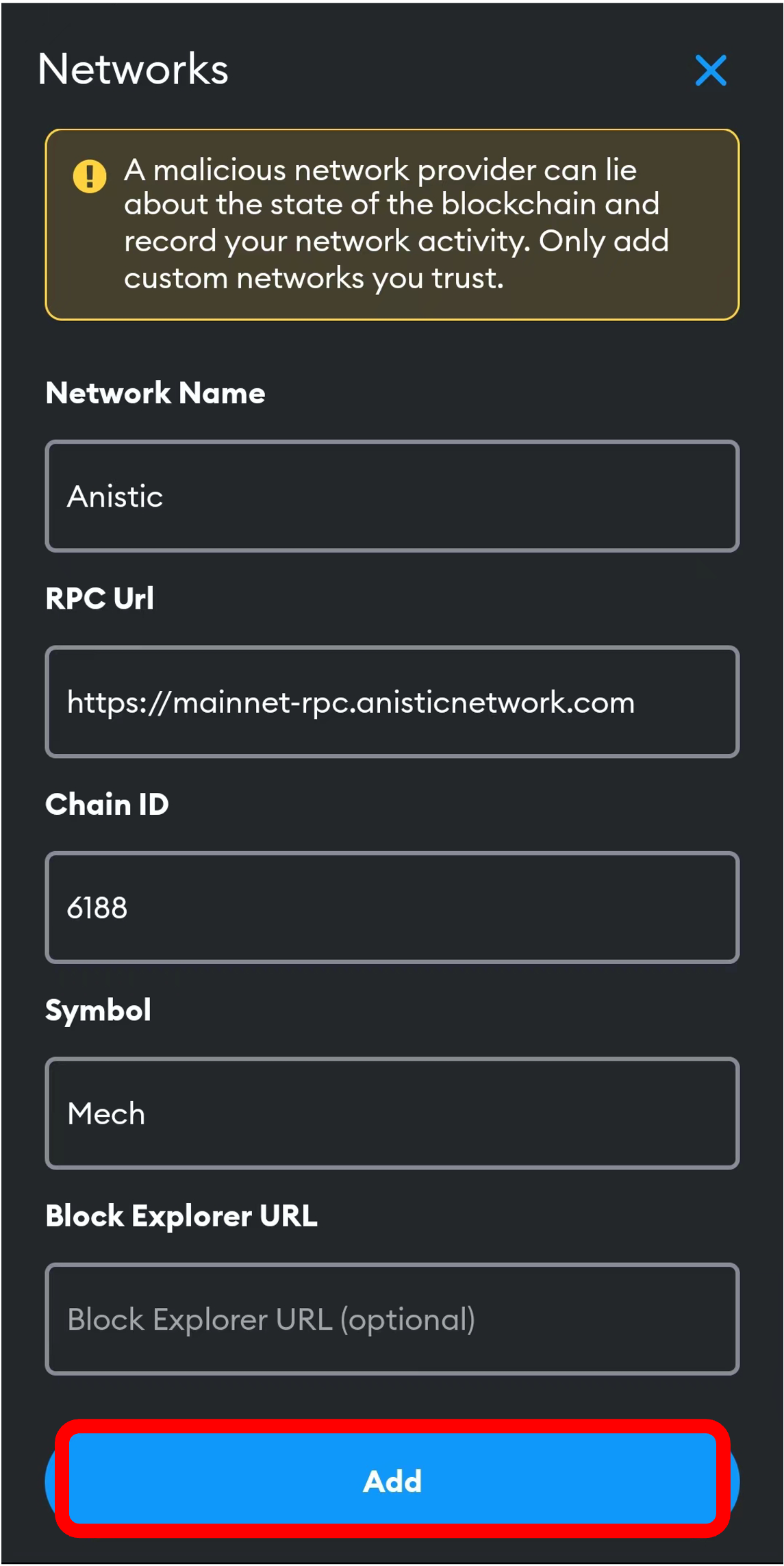
**ステップ4 カスタムネットワークの詳細を入力**

<figure><img src="https://miro.medium.com/v2/resize:fit:1400/1*v05hyL9DHLRG8XEgCXTCZw.png" alt="" width="375"><figcaption></figcaption></figure>

ネットワーク名：Anistic Mainnet RPC

アドレス: [https://mainnet-rpc.anisticnetwork.com](https://mainnet-rpc.anisticnetwork.com/)

チェーンID: 6188

シンボル: Mech

ブロックエクスプローラー: <https://antscan.net/>

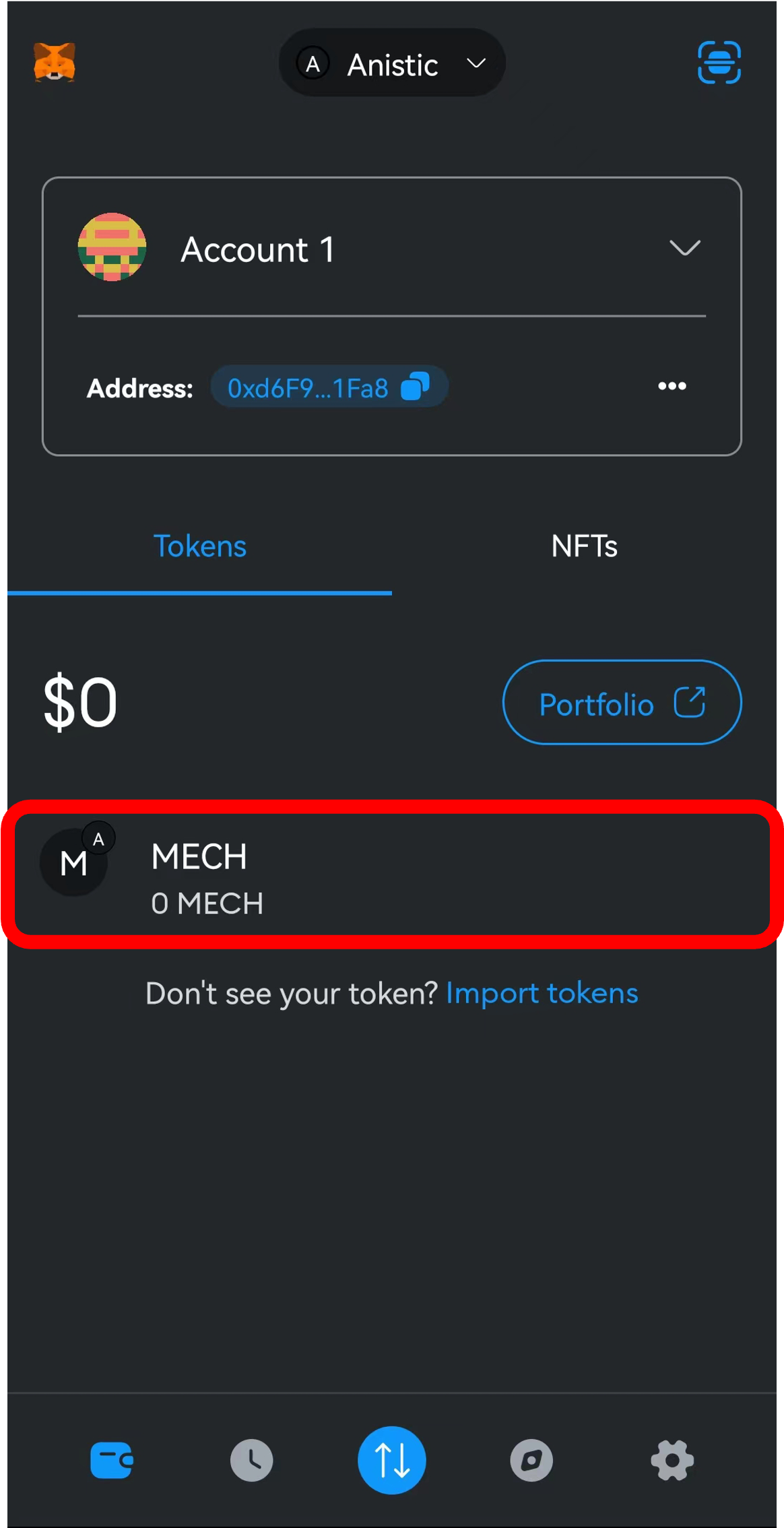
**ステップ5 追加完了！**

<figure><img src="https://miro.medium.com/v2/resize:fit:1400/1*zLsox4Nki2Oz1Jc5aMAuCw.png" alt="" width="375"><figcaption></figcaption></figure>

ガス料金としてMECHトークンが必要となります。

次のポータル登録を完成しましたら、MECHトークンがウォレットアドレスにエアドロップされます。

---

# Agent Instructions: Querying This Documentation

If you need additional information that is not directly available in this page, you can query the documentation dynamically by asking a question.

Perform an HTTP GET request on the current page URL with the `ask` query parameter:

```
GET https://docs.mechcraft.world/mechcraft.world/japanese/about/woretto.md?ask=<question>
```

The question should be specific, self-contained, and written in natural language.
The response will contain a direct answer to the question and relevant excerpts and sources from the documentation.

Use this mechanism when the answer is not explicitly present in the current page, you need clarification or additional context, or you want to retrieve related documentation sections.